Report
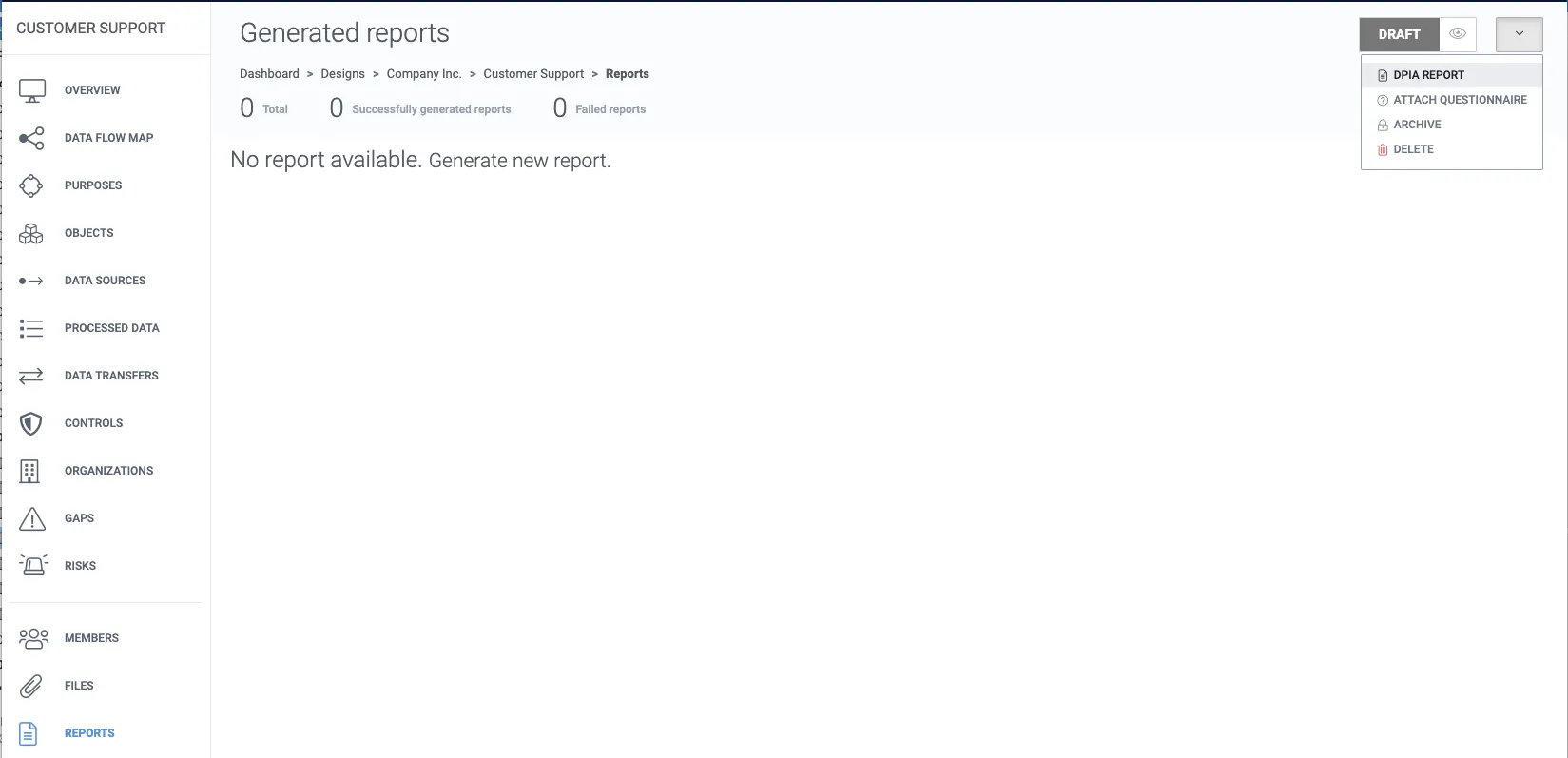
1. To generate the design report, navigate inside to a design’s overview.
2. Click report from the drop-down button.
3. Select the sections you want to display in the report.
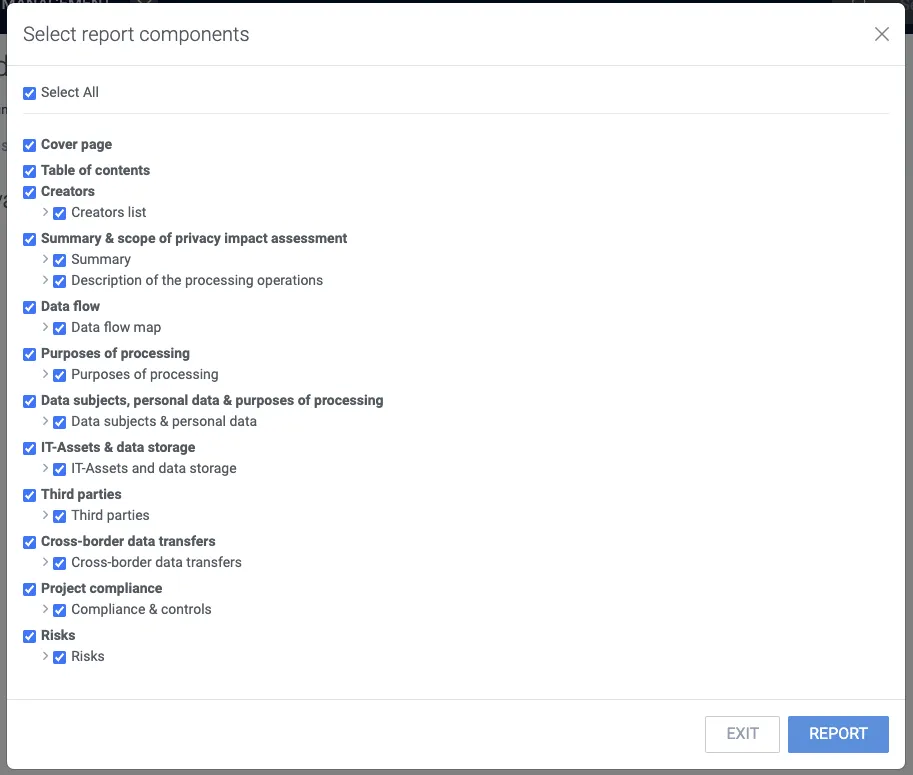
4. Click Report.
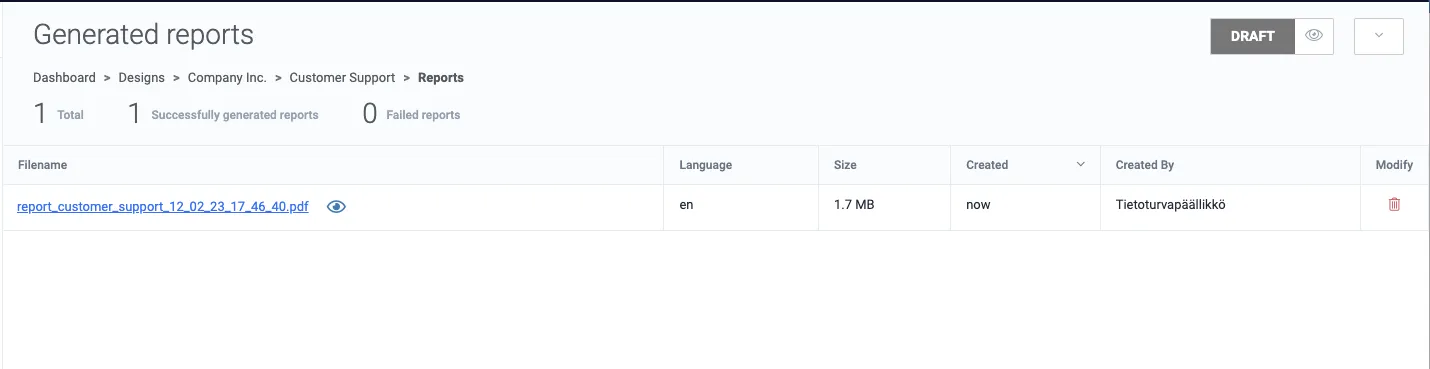
5. Wait for 5 to 15 seconds, and then refresh your browser. The report should appear in the list. Create a new version of the DPIA report every time you are ready to confirm a new status of your design.