Organizations
Organizations in projects
Section titled “Organizations in projects”Organizations can be related to a project in two ways:
- Directly when the organization is created or added to a project.
- Indirectly when the organization is related to another object type and that object is added to a project (see the sections below for these cases).
Automatically created processing activities
Section titled “Automatically created processing activities”Processing activities are automatically created for an organization when it is defined as:
- System object provider or maintenance provider.
- Storage object provider or maintenance provider.
- Server object provider or maintenance provider.
- Personnel role object personnel role organization.
These processing activities influence all projects where e.g. the objects described above are related to, and cannot be deleted. You can however select the first option for disabling the automatic processing activity while modifying it, in which case it has no role in processing.
Manually created processing activities
Section titled “Manually created processing activities”Processing activities can also be created for organizations and attached to a specific project. Please note that the project cannot be changed after the processing activity has been created.
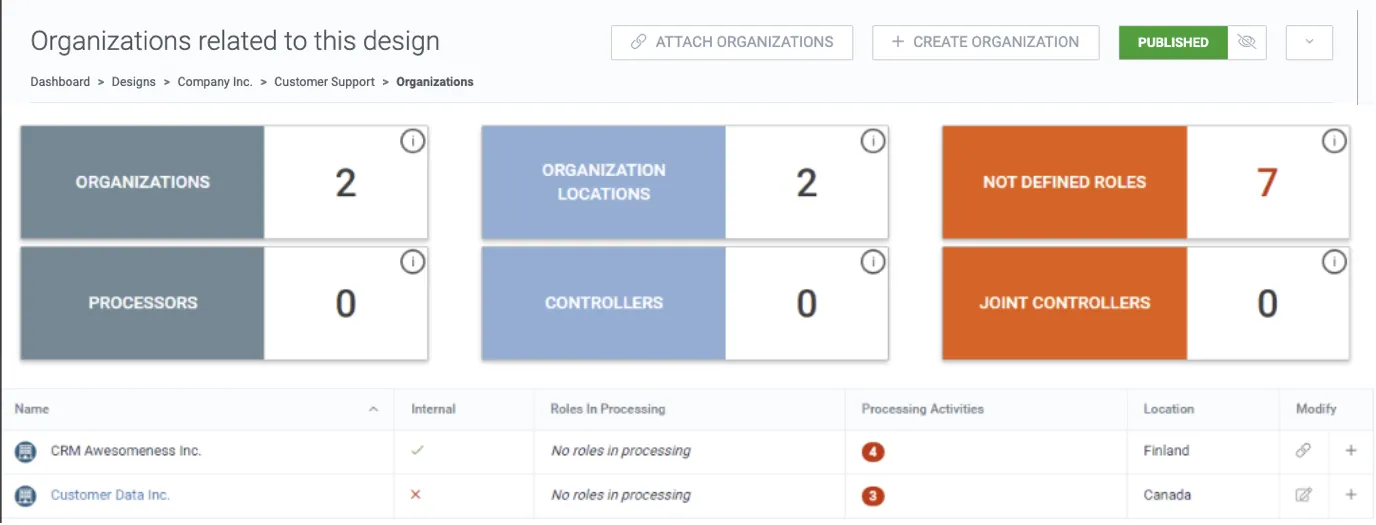
1. To define and modify the role of each organization, hover over the processing activities column and click the edit icon to modify, or click + to add a new processing activity.
2. Define the role in processing.
3. Add a starting and end date. It is possible to attach or link the Data Processing Agreement.
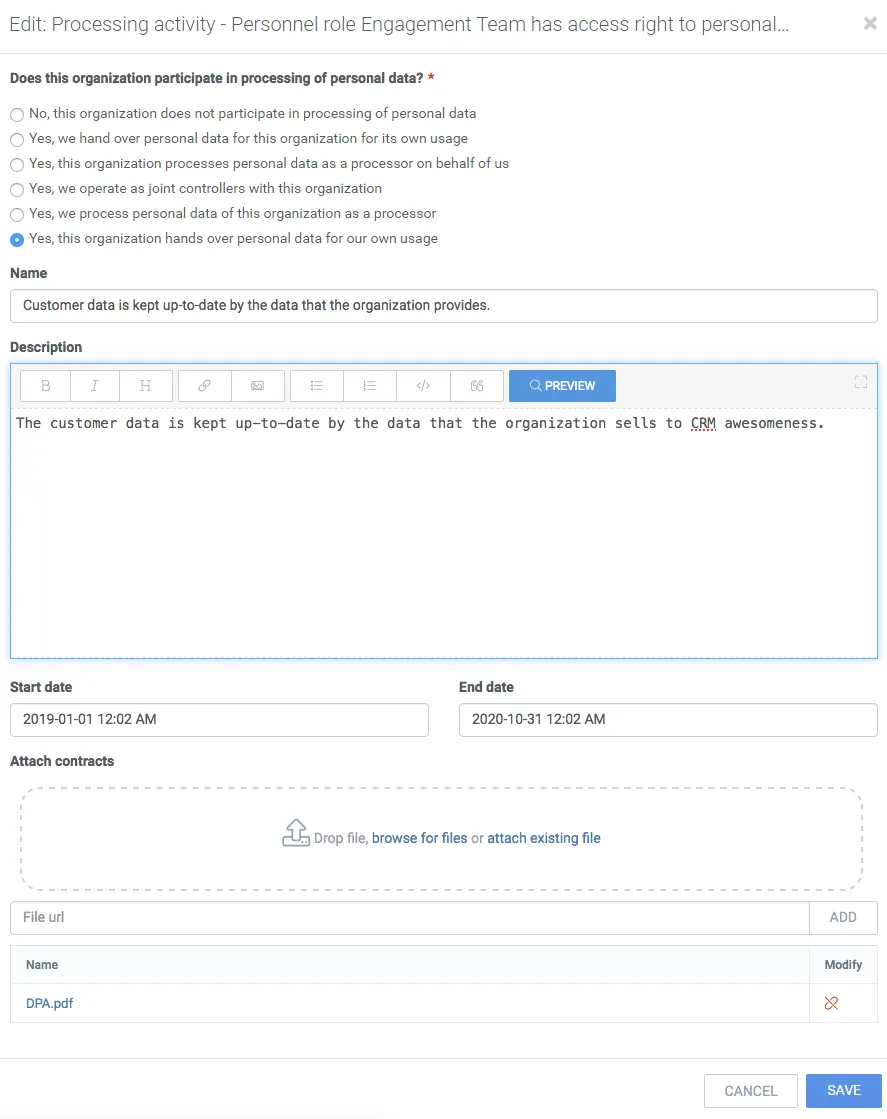
4. Click the detach icon to detach an attached file.
5. Click Save.
6. Repeat to add all necessary processing activities.