Data sources
How to create data sources
Section titled “How to create data sources”The software will identify data sources automatically from design data flows. This view is generated so that the user can make sure that the data subjects are informed in each data collection point.
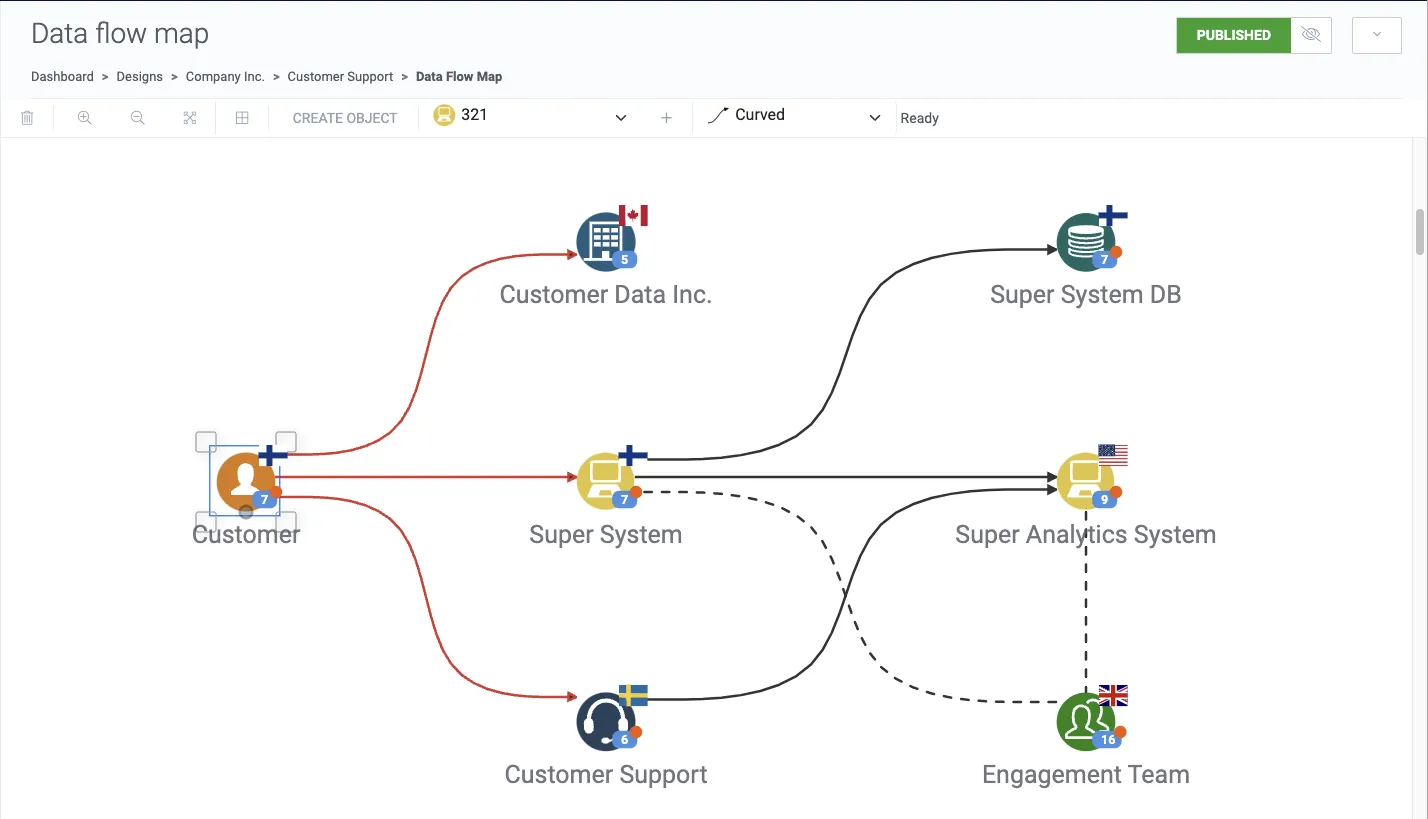
Consider the example data flow below, where organization Customer Data Inc., system Super System and customer service Customer Support are connected from the Customer data subject category, making them data sources.
Where are they located?
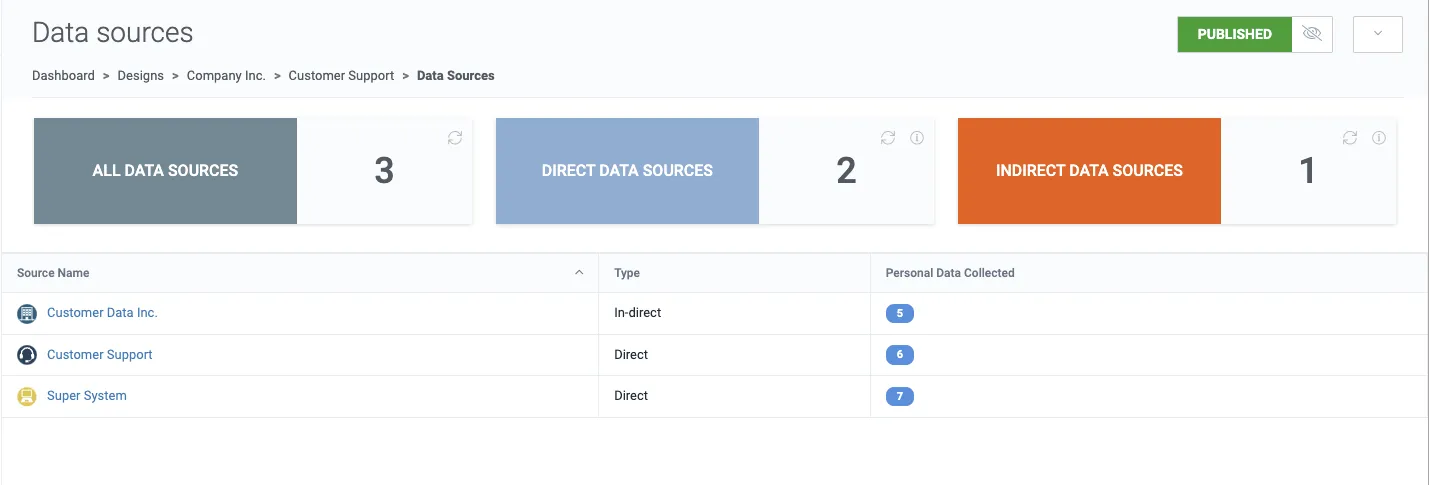
Section titled “Where are they located?”Click Data sources from the design navigation panel. This view displays the data sources from the design.
List columns
Section titled “List columns”- Source name is the object’s name that is collecting personal data.
- Type is either direct or in-direct depending on whether the personal data is being collected directly from the data subject.
- Personal data collected is a count of data types that are collected by the data source.