Members
In order to allow a user to participate in a design, the user has to be either a design member or a design admin in the respective design.
Add design admins
Section titled “Add design admins”Let’s grant design admin permission for our example user “John Doe” into the root design “Company Inc.” with the design creator User123.
1. Navigate into a design by clicking its name.
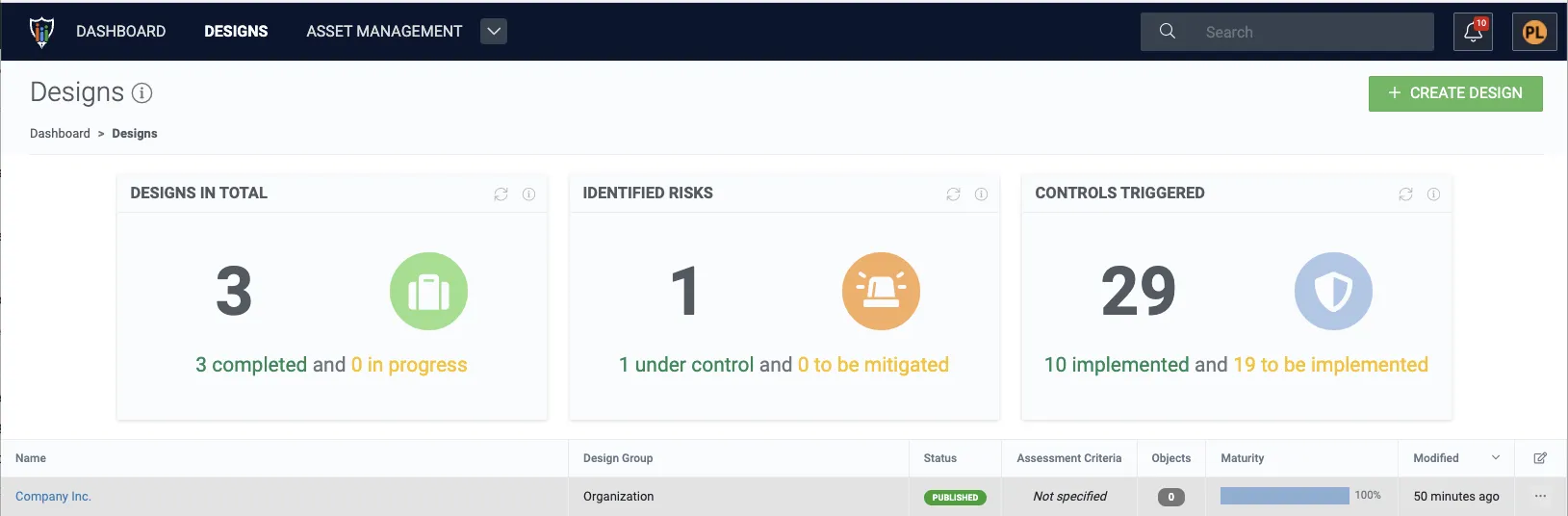
2. Click Members.
3. Click the add design admins button.
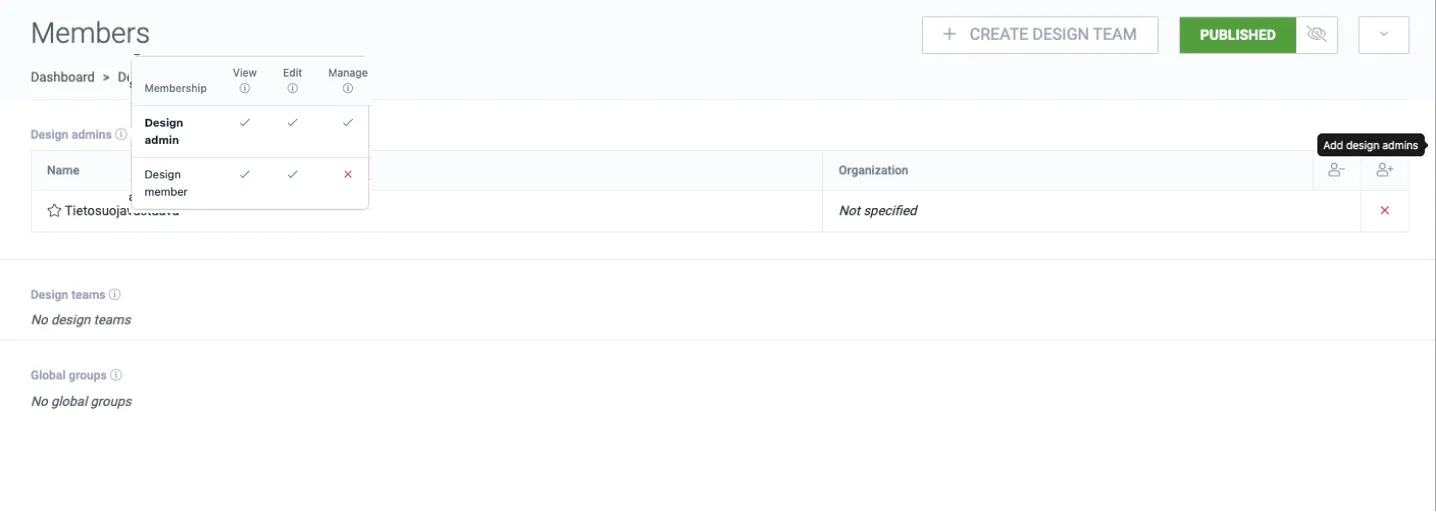
4. Select the user(s) that should be granted design admin permissions for the design.
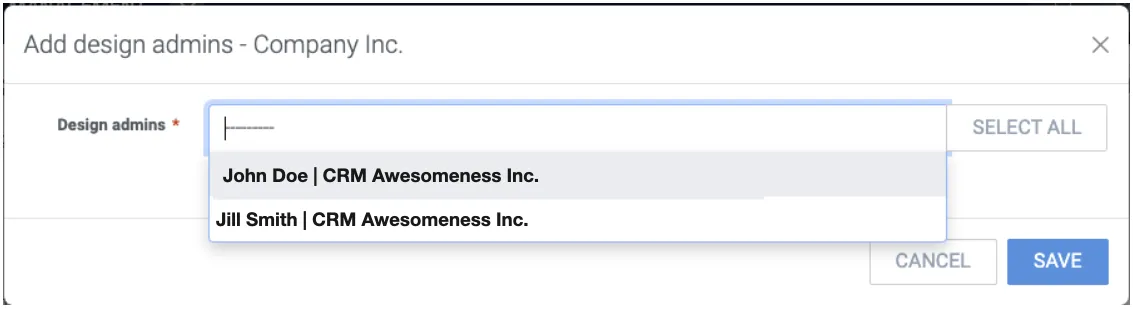
5. Click Save.
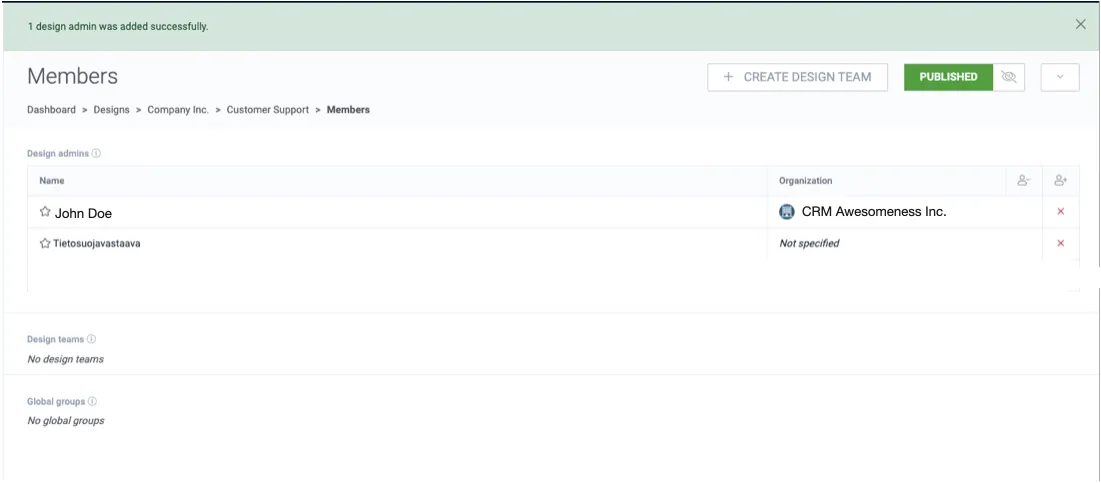
John Doe is now design admin to the root design “Company Inc.”.
Create design team
Section titled “Create design team”We are now logged in with the user John Doe.
John Doe has a colleague Jane Doe who he collaborates with. Let’s add Jane Doe as a design member to the root design “Company Inc.” so she can participate in that design.
1. Click Create design team.
2. Type a name for the design team.
3. Select members for the design team. In this example Jane Doe is the only user available, as Tietosuojavastaava and John Doe are already design admins in this design.
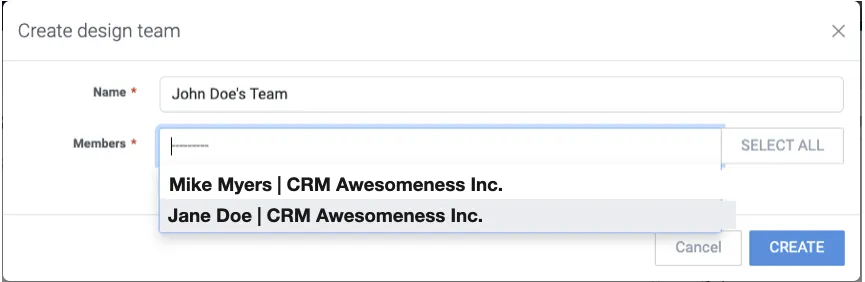
4. Click Create.
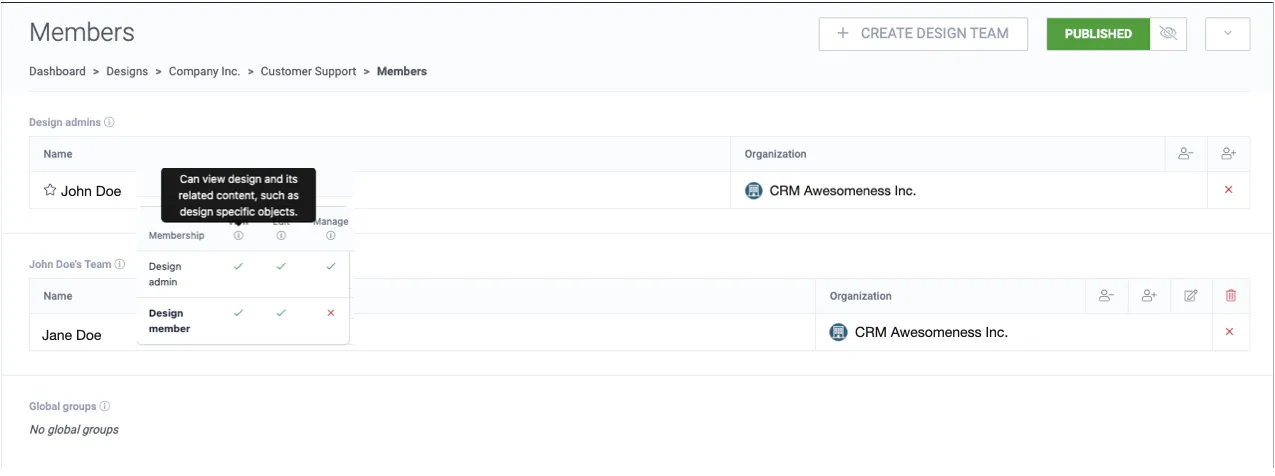
Now Jane Doe has access to the design “Company Inc.” as a design member. She can edit the design content but cannot give access to additional members in the design.
Create design with inherited members
Section titled “Create design with inherited members”Now that we have created a design team into the root design “Company Inc.”, let’s create a sub-design for it while inheriting the parent design members.
1. Navigate back to Dashboard → Designs.
2. Click + Create design.
3. Select the parent design.
4. Fill in the design details.
5. Enable the checkbox for inheriting members from the parent design (enabled by default).
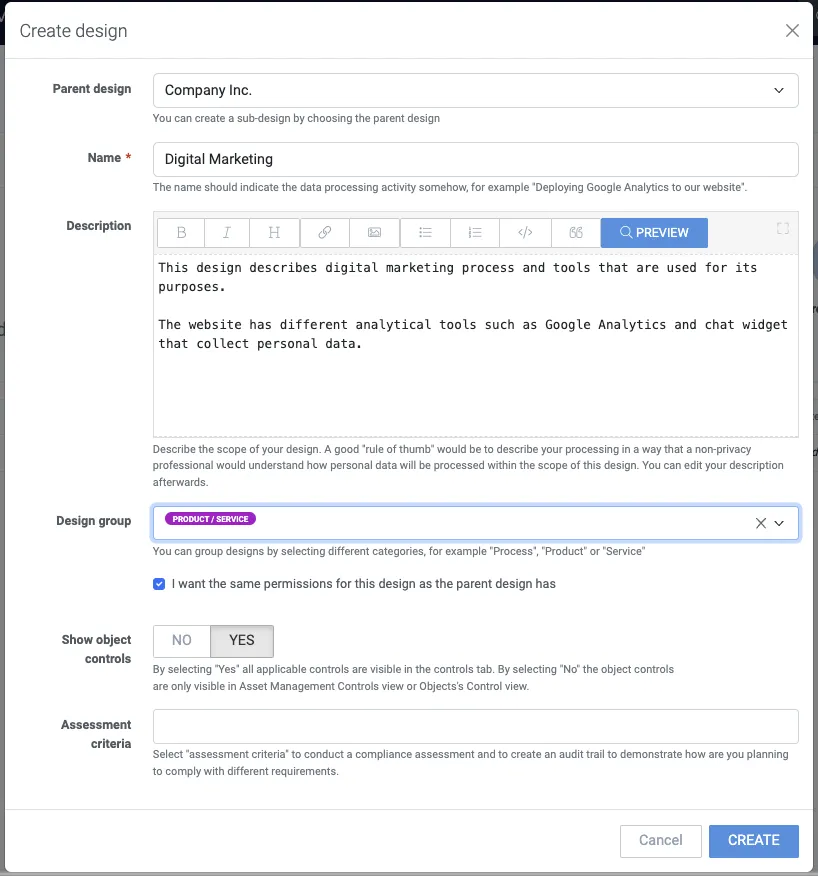
6. Click Create.
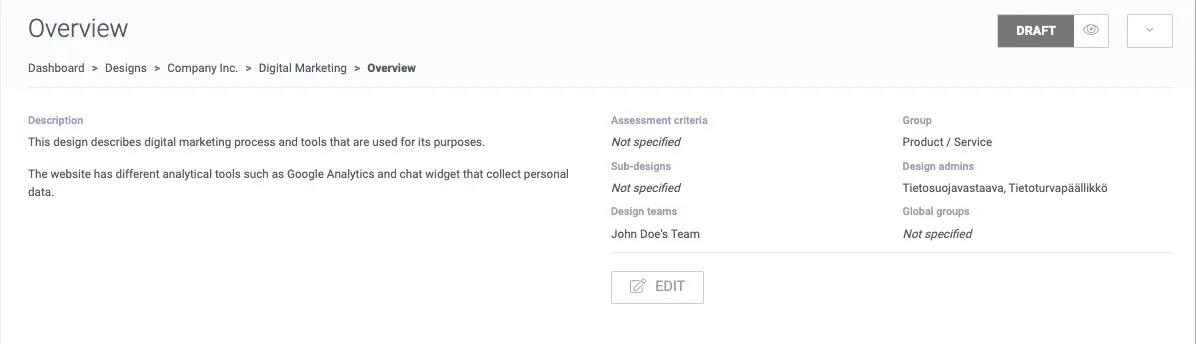
As the parent design and member inheritance were selected, the design admins and teams were inherited from the parent design “Company Inc.”.
Remove the design team members
Section titled “Remove the design team members”1. Click the design team’s remove members button.
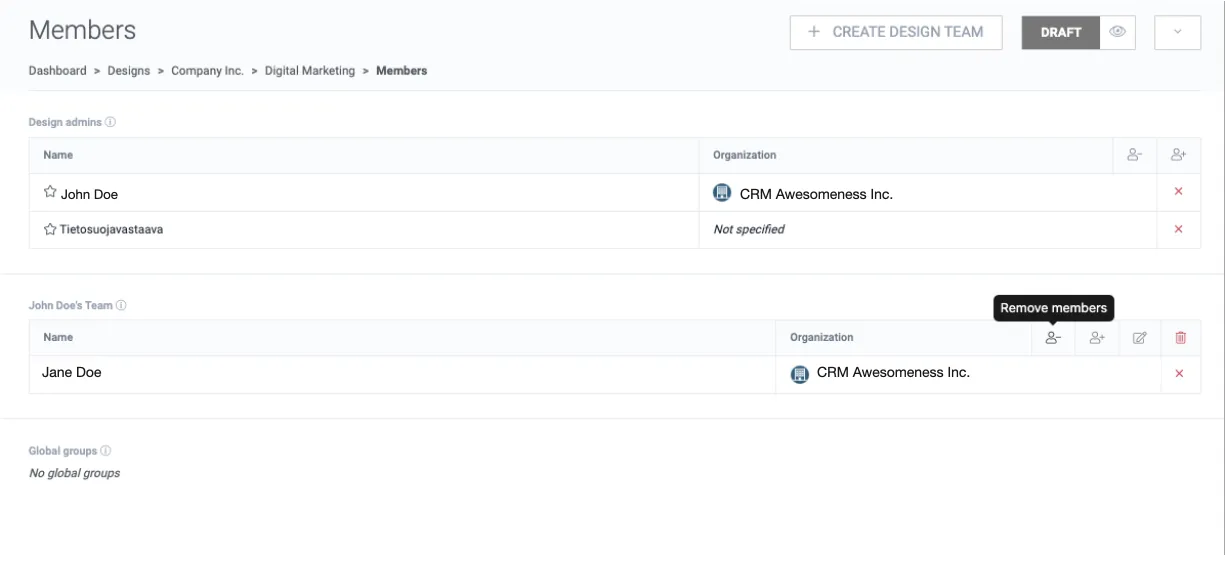
2. Select the member(s) from the design team.
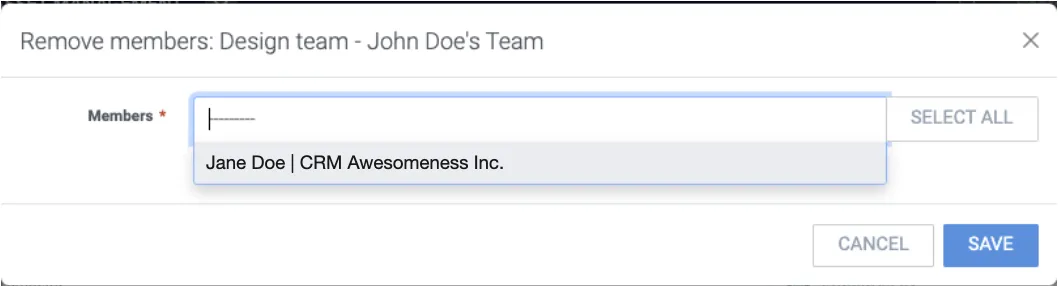
3. Click Save.
Jane Doe cannot access the design “Digital Marketing” anymore.
Add design team members
Section titled “Add design team members”1. Click the design team’s add members button.
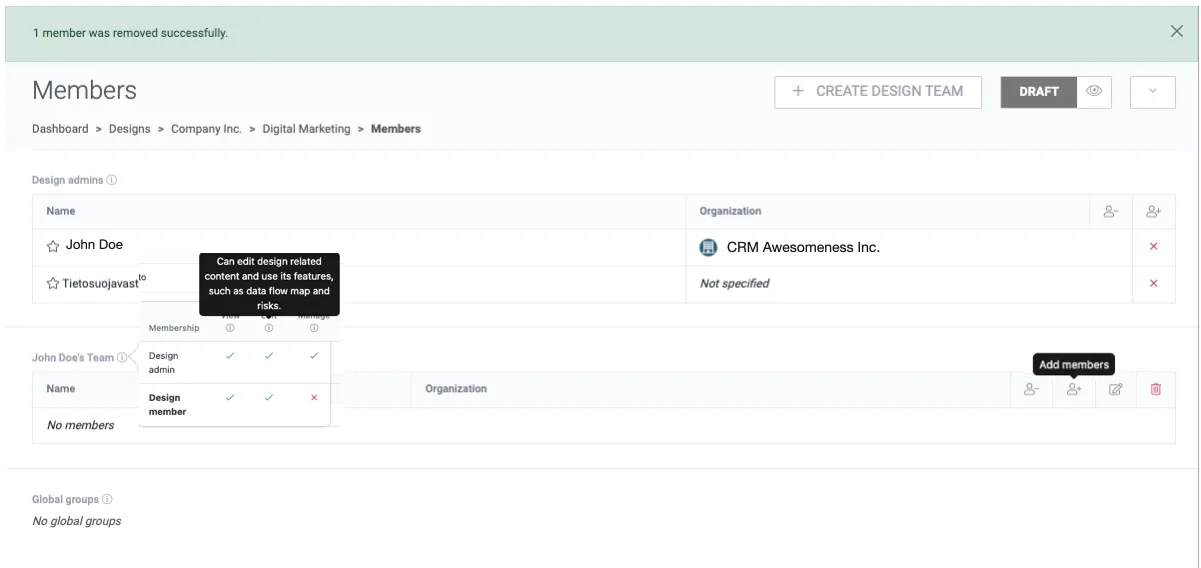
2. Select the member(s).
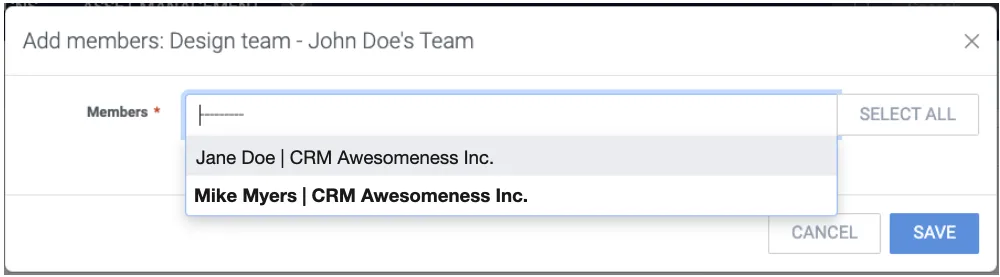
3. Click Save.
Now Jane Doe has access to the design “Digital Marketing” again.
Edit the design team name
Section titled “Edit the design team name”1. Click the design team’s edit button.
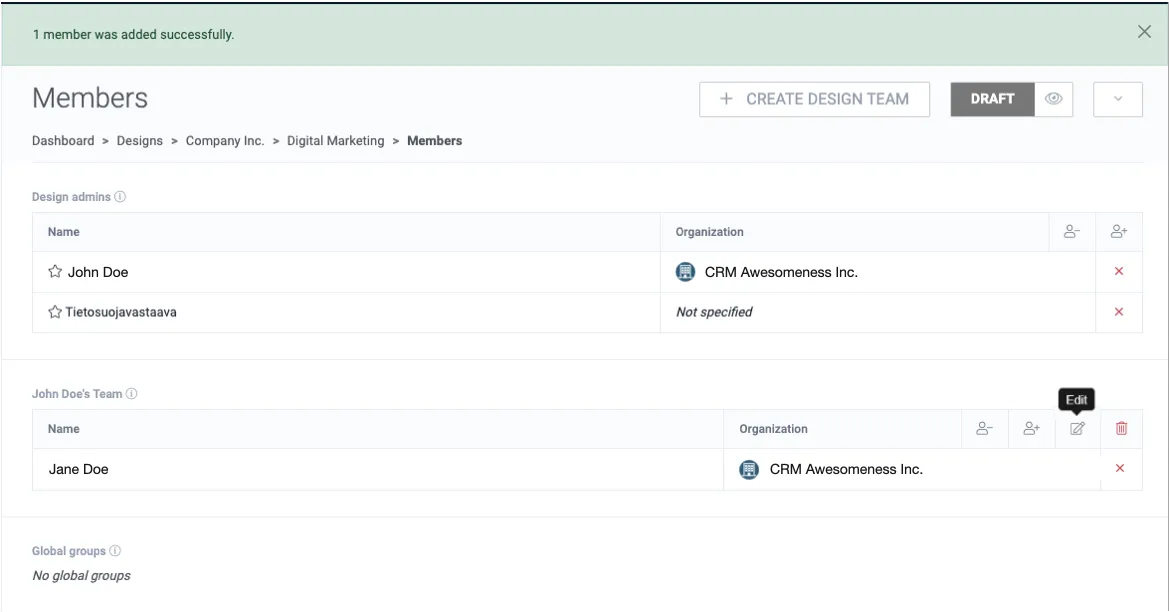
2. Change the design team name. In this example the design team name is simplified.
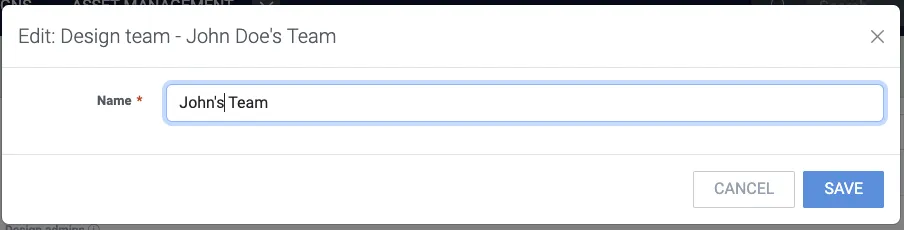
3. Click Save.
Delete design team
Section titled “Delete design team”1. Click the design team’s delete button.
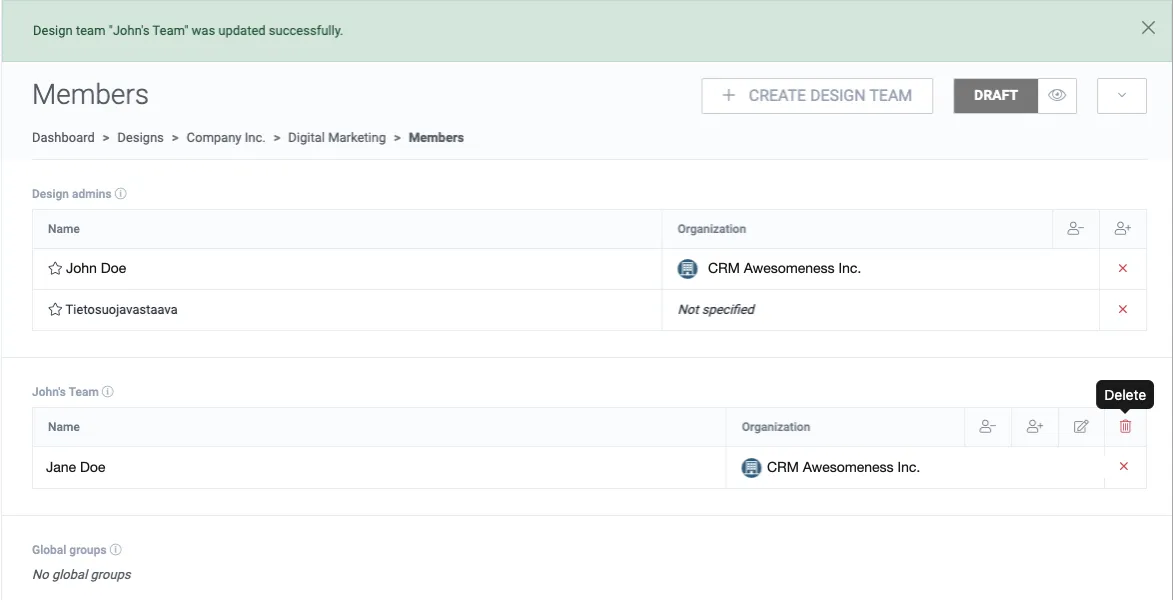
2. Confirm by clicking Delete.
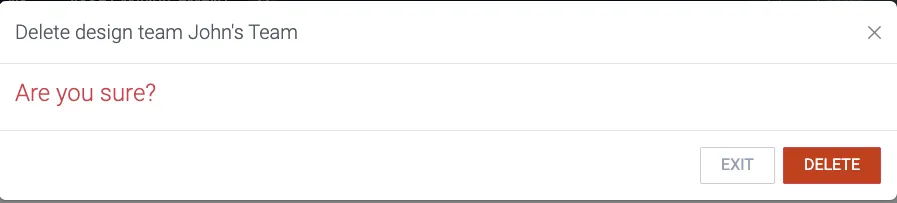
Now Jane Doe once more does not have access to the design “Digital Marketing”.
Inherit parent design members
Section titled “Inherit parent design members”1. Navigate back to Dashboard → Designs.
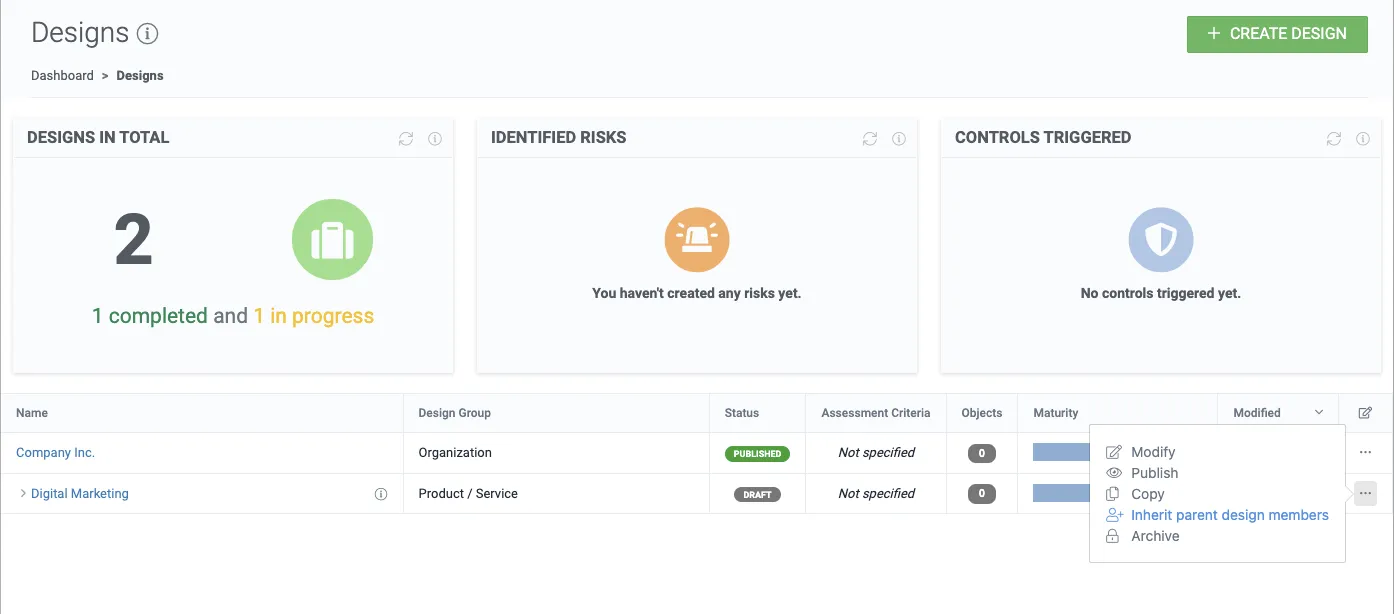
2. Click the inherit parent design members button.
Here the users are shown from the parent design, and the inheritable design admin(s) and member(s) are highlighted for the target design.
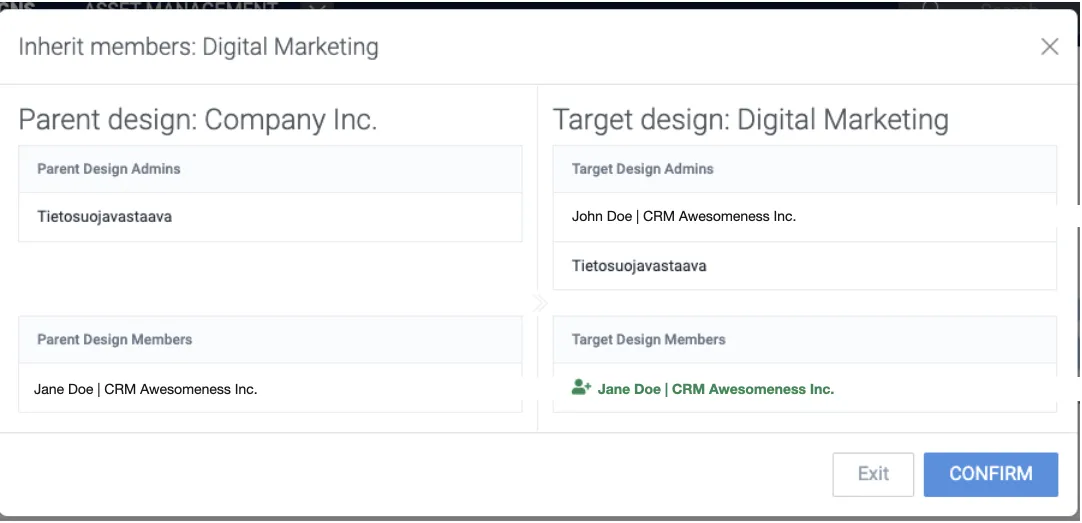
3. Click Confirm.
Let’s see what happened in the members of the Digital Marketing design.
4. Navigate into the design.
5. Click Members.
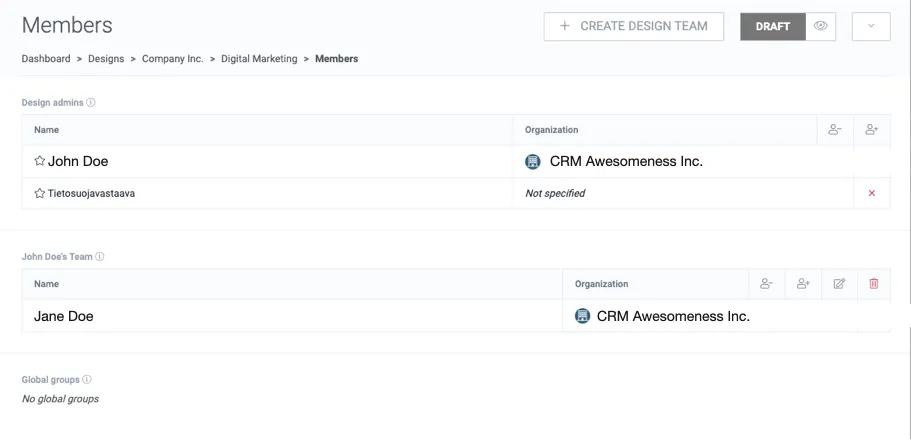
The design team “John Doe’s Team” was inherited from the parent design “Company Inc.”, and Jane Doe has access to the design “Digital Marketing” once more.